Event clips: a dash cam that only keeps what matters
You rarely need hours of dash-cam footage. You need the moment something happened. Roadlert keeps the last 10 seconds of road video in memory and saves a clip only when it matters.
No video when someone cuts you off or hits your car
- It’s your word against theirs after a scrape.
- A dash cam means hours of footage to search through, if you have one at all.
- The moment that mattered happened before you could react.
With Roadlert
Roadlert saves a clip of a close call or impact automatically, starting 10 seconds before it happened.
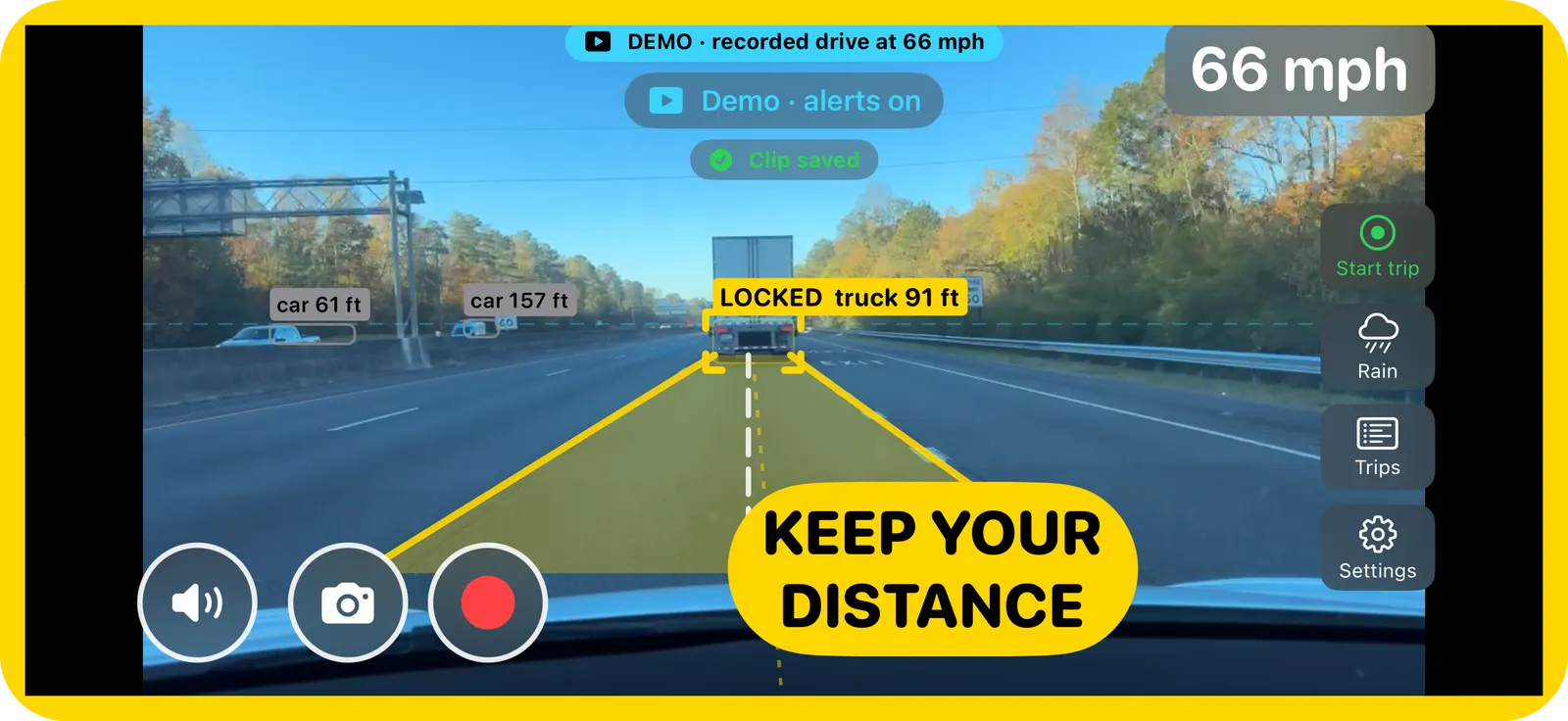
Screenshots from a real drive, replayed through Roadlert’s demo mode.
How it works
What saves a clip
A collision warning, hard braking or a swerve, or a possible impact saves a clip that starts up to 10 seconds before it happened. One tap on the video button saves the moment that just caught your eye, again including the 10 seconds before.
Private by default
Clips have no audio, stay on your iPhone and are left out of iCloud backup. They leave the phone only if you share them. You choose during setup whether event clips are on, and the oldest are removed automatically when storage passes 2 GB.
Good to know
- Not a continuous, always-recording dash cam.
- Check your local laws on dash-cam use and on sharing recordings of other road users.
Roadlert is a driver aid, not a safety system. Keep your eyes on the road, and set the app up before you drive off.